Power Bank Ports Explained: USB-C vs Micro vs Lightning
Understanding power bank ports helps you choose the right charger for all your devices. Learn which connectors work best for your phone, tablet, and accessories.
See everything powerbanks.africa can do for you.
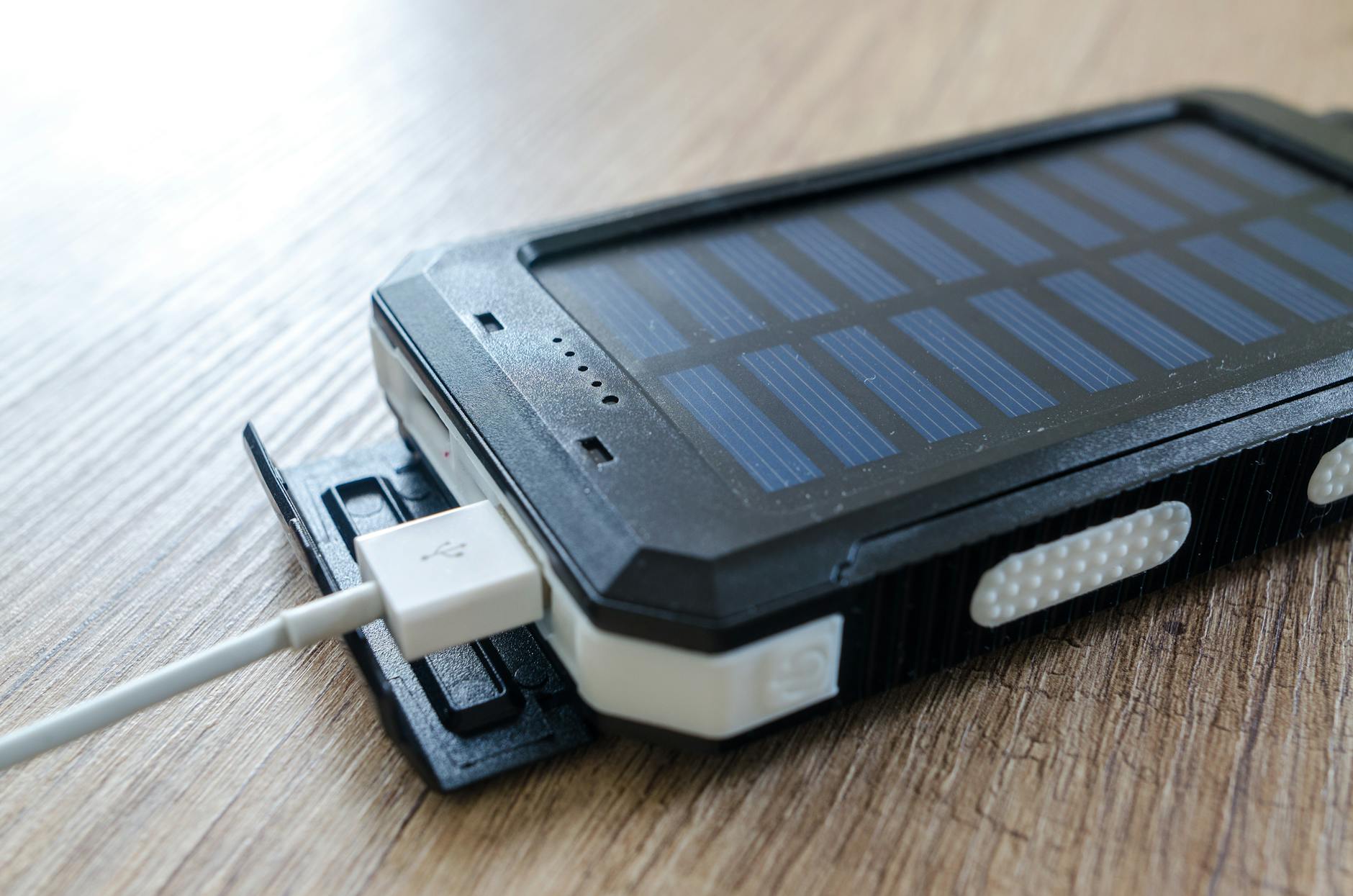
If you have ever grabbed a power bank in a hurry only to discover your cable does not fit, you already understand why ports matter. The connector types on a power bank determine which devices you can charge, how fast they charge, and how long the ports themselves will last. Understanding the differences before you buy saves you money, frustration, and a dead phone at the worst possible moment.
This article is part of our complete guide: Power Banks Best Prices.
Why Power Bank Port Types Matter
Different phones, tablets, and earbuds use different charging connectors, and a power bank that does not match your device is essentially useless to you. The wrong port does not just cause inconvenience, it can mean your device charges painfully slowly or refuses to charge at all. Some newer phones require USB-C to unlock fast charging, and plugging them into an older output port cuts that speed significantly. A power bank with multiple ports solves this by letting you charge a laptop, a phone, and wireless earbuds at the same time without fighting over a single socket. Port quality is equally important because a loose or poorly manufactured connector can arc, overheat, or fail after only a few months of daily use. Choosing a power bank with reinforced, certified ports is one of the most practical decisions you can make for long-term reliability.
How Ports Affect Compatibility
Compatibility is not just about whether a cable physically fits into a socket. A connector might slide in but still deliver the wrong voltage or fail to trigger the fast-charging handshake your phone expects. This matters particularly in Kenya, where a single household often contains devices from three or four different manufacturers, each with its own charging requirements. Buying a power bank without first mapping out your devices is a common and easily avoided mistake. A quick check of each device's charging port before you shop takes two minutes and saves you from returning the wrong unit.
How Ports Affect Long-Term Value
A power bank is a medium-term investment, and the ports are the parts that wear out fastest under daily use. Cheaper units use connectors with thin contact pins that loosen after several hundred insertions, leading to intermittent charging and eventually no connection at all. Paying a little more for a unit with reinforced sockets and a solid warranty protects that investment. A port that fails after six months effectively makes the entire power bank useless, regardless of how large its battery capacity is. Prioritising port quality from the start is the sensible approach.
USB-C: The Modern Standard
USB-C is a reversible connector, meaning you can plug it in either way without fumbling, which sounds minor but makes a genuine difference when you are rushing out the door in the dark. It supports the fastest charging protocols available today, including Power Delivery, which can charge a compatible phone from zero to fifty percent in under thirty minutes. Newer iPhones from the iPhone 15 onwards, Samsung flagships, most modern Android tablets, and even ultrabooks now use USB-C as their primary charging port. The connector itself is physically more robust than older designs because it uses a reinforced plug and socket that tolerates thousands of insertion cycles. Across Kenya, USB-C is increasingly appearing on mid-range and affordable Android phones, not just premium devices, so the standard is spreading quickly. If you are buying a power bank today and you want it to remain useful for the next three to five years, at least one USB-C port is essential.
USB-C as Both Input and Output
One detail many buyers overlook is that USB-C ports on a power bank can often serve as both input and output. This means you recharge the power bank itself through the same USB-C port your phone uses, which cuts down the number of separate chargers you need to carry. Some higher-capacity models support pass-through charging, allowing you to top up the power bank and charge a connected device at the same time. For travellers and people who work long hours away from a socket, that flexibility is genuinely useful. Always check the product specifications to confirm whether a USB-C port is bidirectional before assuming it is.
Wattage and Power Delivery
Not all USB-C ports deliver the same charging speed, and the difference can be significant. A basic USB-C port might output only five watts, which is barely faster than an old USB-A port, while a port with Power Delivery support can reach sixty watts or more. Matching the power bank's output wattage to your device's maximum input rating is the way to get the fastest possible charge. A flagship Android phone rated for forty-five watts of fast charging will only reach that speed if the power bank's USB-C port can actually supply it. Checking the watt rating on the label before you buy is a habit worth forming.
Micro-USB: Still Widely Used in Africa
Micro-USB was the dominant charging standard for Android phones throughout the 2010s, and millions of those devices are still in active daily use across Kenya. The connector is physically smaller and lighter than USB-C, which helped it become popular during an era when compact phone design was a priority. You will still find Micro-USB ports on many budget feature phones, Bluetooth speakers, older smartwatches, and accessories sold throughout Nairobi markets and across the country. The downside is durability: Micro-USB connectors wear faster than USB-C because the contact pins are inside the cable plug rather than the device port, making them more vulnerable to bending and breakage over time. Charging speeds are also generally lower, with most Micro-USB setups topping out at ten watts compared to the sixty or more watts USB-C can handle. If your household still relies on devices with Micro-USB, look for a power bank that includes this port alongside a USB-C output so you are covered on both fronts.
Micro-USB as a Power Bank Input
Many mid-range power banks still use Micro-USB as their charging input, even when the output ports are more modern. This is worth paying attention to because it affects how quickly you can recharge the power bank itself after it runs flat. A Micro-USB input typically limits recharging to around ten watts, which means a large-capacity unit can take eight hours or more to refill from empty. If your daily routine means you need the power bank ready again by morning, a unit that recharges via USB-C input will cut that time considerably. The input port is a specification that manufacturers do not always advertise prominently, so it is worth looking at the fine print.
Lightning: Apple Devices Only
Lightning is Apple's proprietary connector, used on iPhones up to the iPhone 14, older iPads, AirPods cases, and Apple Pencils. Compared to Micro-USB, Lightning is noticeably more durable because its pins are on the cable plug rather than inside the device, which reduces wear on the phone's port itself. Finding a power bank with a built-in Lightning port or a dedicated Lightning output is less common in Kenya than finding USB-C or Micro-USB options, so iPhone users often need to carry their own Lightning cable. When you do find Lightning compatibility on a power bank, checking for Apple-certified components matters because uncertified cables and connectors can trigger warning messages on iPhones, charge at reduced speeds, or in rare cases cause damage. For iPhone 15 and newer users, the switch to USB-C means you no longer need Lightning at all, though wireless charging remains an option for compatible power banks. If you are buying for a household with both older and newer iPhones, a power bank with a USB-C output and a built-in Lightning cable covers both generations neatly.
Transitioning Away from Lightning
The shift from Lightning to USB-C across the iPhone range is ongoing, and it changes what a power bank needs to offer Apple users. Anyone upgrading from an iPhone 14 to an iPhone 15 or later will find they suddenly need USB-C rather than Lightning, which can make an older power bank feel outdated overnight. Buying a power bank with a strong USB-C output now future-proofs your setup, even if you are still using a Lightning device today. Adapters exist to bridge the gap, but they add bulk and an extra point of failure in the cable chain. Investing in USB-C compatibility from the start is the cleaner long-term solution.
Multi-Port Power Banks: Best for Mixed Device Households
A multi-port power bank lets you charge an Android phone and an iPhone side by side from a single device, which is the everyday reality for many Kenyan families and shared workspaces. Combining USB-C and Micro-USB outputs on one unit means you can serve both newer and older devices without carrying multiple chargers or hunting for adapters. Power banks with built-in cables take this convenience even further because the cables are already attached to the unit, so you eliminate one more item from your bag. For families where one member uses a Samsung, another uses an older Tecno, and a third uses a tablet, a multi-port model with a high capacity such as 50000mAh genuinely simplifies daily life. Travellers also benefit because packing one power bank with multiple ports and built-in cables replaces three or four individual chargers and cables. The reduction in cable clutter alone is a practical reason to choose a multi-port model over a single-output unit.
Simultaneous Charging and Power Sharing
One consideration with multi-port models is how the power bank distributes its output when multiple devices are connected at once. Some units divide their total wattage evenly, which can slow down every connected device. Better units manage each port independently, maintaining full fast-charging speeds across all outputs simultaneously. If you regularly charge two or more devices at the same time, checking the simultaneous output specification on the product page is worth doing before you buy. A unit that advertises fast charging but only delivers it to one port at a time will disappoint in a shared household.
Choosing the Right Ports for Your Needs
Start by checking which connector your most-used devices actually require, because it is easy to assume you use one type and then discover a secondary device needs something different. If you own a phone released in the last two years, it almost certainly uses USB-C, and you should make that port a priority when selecting a power bank. Households with a mix of Android and Apple devices, or newer and older phones, will get the best value from a multi-port model that does not force anyone to wait for a charging slot to open up. Charging speed ratings printed on the power bank, usually expressed in watts, should match or exceed your phone's maximum input rating so you are not leaving performance on the table. Port durability is worth examining closely: look for reinforced connectors and certifications such as CE, FCC, and RoHS, which indicate the unit has been tested to recognised safety standards. A power bank with certified, multi-protected ports and a solid one-year warranty is an investment rather than a disposable purchase.
Understanding which ports you need makes the difference between a power bank that fits your life and one that sits unused in a drawer. Whether you need a single USB-C output for a modern flagship or a high-capacity unit with multiple ports and built-in cables for an entire household, the right choice starts with knowing what your devices actually require. Browse our full range at our online store to find a model that matches your connectors, your capacity needs, and your budget.
See everything powerbanks.africa can do for you.
Visit powerbanks.africa →